Whenever I unplug the monitors from my laptop, sometimes application windows will still be on the phantom screens instead of my laptop screen.
Here's how to get the unreachable window back on your screen:
Step 1. Alt + Tab to the window in question, because this won't work if it's minimized.
Step 2. Hold down the Shift key and right-click on the problematic window in the taskbar.
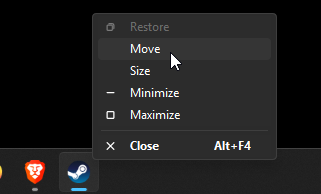
Step 3. Click on Move.
Step 4. Then use your arrow keys to bring the window back onto your screen.